
Introduction
The growing adoption of the cloud has transformed the cybersecurity landscape, bringing new challenges and opportunities. The Cloud Security Posture Management (CSPM) market is estimated at approximately 3.5 billion dollars in 2024 and is expected to reach 12 billion by 2034, with a CAGR of 14%. This explosive growth reflects the urgent need for specialized tools to manage security in increasingly complex cloud environments.
Cloud misconfigurations account for 15% of initial attack vectors in security breaches and 23% of total cloud security accidents. With an average cost of violation reaching $4.35 million, proactive cloud security posture management is no longer optional.
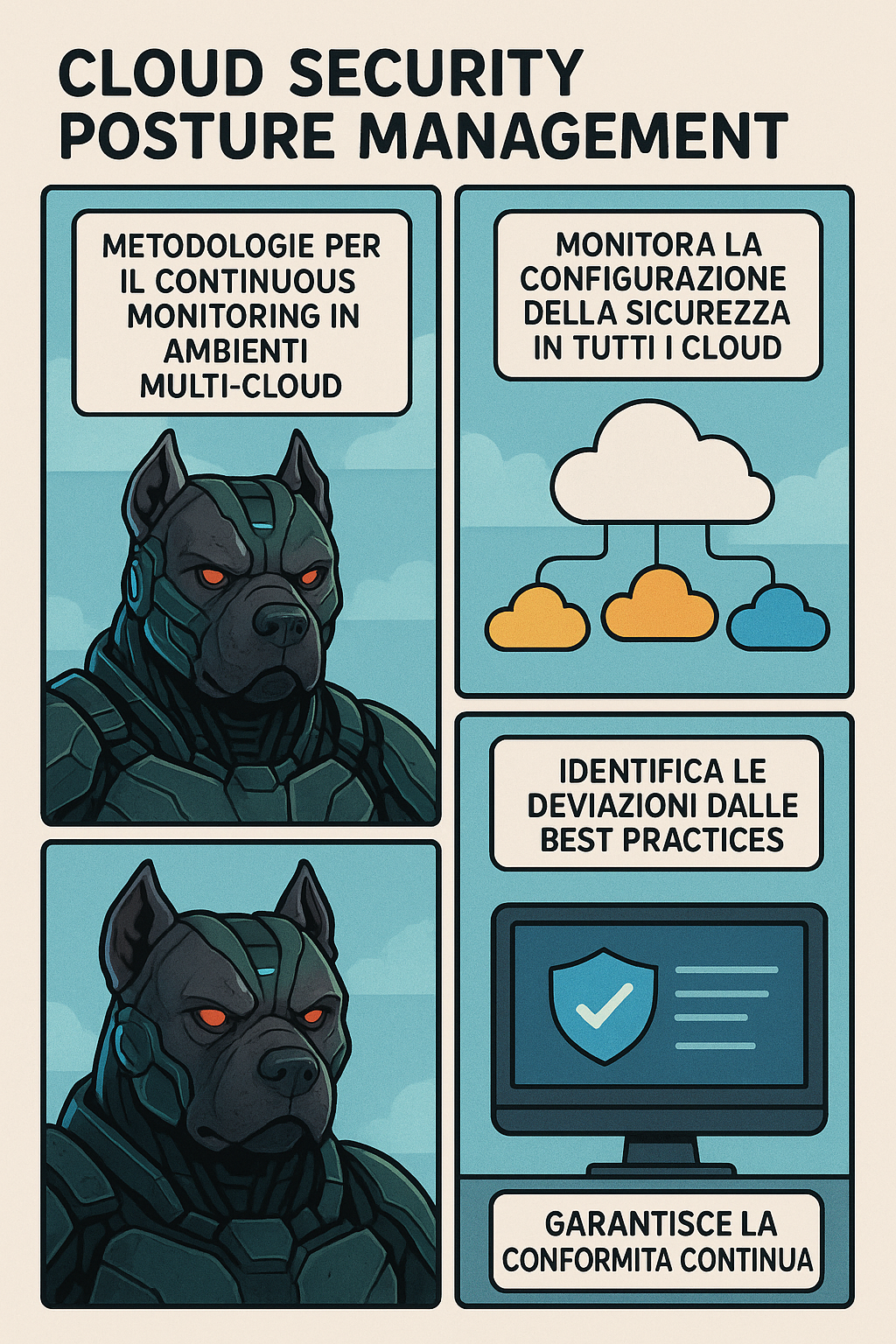
What is Cloud Security Posture Management
CSPM is a methodology that uses automated tools to continuously identify, evaluate and correct misconfigurations and compliance risks in cloud environments. According to Gartner, the CSPM involves the use of tools that automate continuous monitoring and resolution of cloud security vulnerabilities in IaS, SaaS and PaaS environments. Cloud Security Posture Management has become fundamental for organizations operating in multi-cloud environments. With the CSPM market that will reach 12 billion dollars by 2034, growing to 14% per year, and 78% of organizations that suffered at least one cloud security incident in 2024, implementing an effective operating framework is no longer optional.
Bottom line: This framework provides a structured approach to implement continuous monitoring based on NIST/CIS standards, combining open source and enterprise tools for full coverage of multi-cloud environments.
Executive
Cloud Security Posture Management (CSPM) has become fundamental for organizations operating in multi-cloud environments. With the CSPM market that will reach 12 billion dollars by 2034, growing to 14% per year, and 78% of organizations that suffered at least one cloud security incident in 2024, implementing an effective operating framework is no longer optional.
Key statistics 2024-2025
Cloud security breaches increased by 35% in 2024, with 41% of unconfigured storage incidents. The main causes include:
- Storage Misconfiguration: 41% accidents
- Promoted credentials: 33% accidents
- Phishing Attacks: 26% accidents
- Average cost per breach: $5.1 million
a
Basic components of CSPM
Cloud Resource Inventory: Maintaining an updated inventory of all cloud resources distributed through different providers and accounts.
Evaluation of Configuration: Continuous comparison of current configurations with security best practices and compliance frameworks.
Detection of Misconfigurations: Automatic identification of configurations that could expose the organization to security risks.
Management of Compliance: Monitoring compliance to regulatory standards such as GDPR, HIPAA, PCI-DSS and frameworks such as NIST and CIS.
Remediation Guided: Provide specific indications to correct identified vulnerabilities.
Reference Framework: NIST and CIS
NIST Cybersecurity Framework
The NIST Cybersecurity Framework provides a flexible approach to cybersecurity risk management in cloud environments, structured around five main functions: Identify, Protect, Detect, Respond and Recover.
NIST deployment for CSPM:
- Identify (ID): Cataloguing all cloud assets and assessing associated risks
- Protect (PR): Implementing security controls and secure configurations
- Detect (DE): Continuous monitoring to identify security events
- Respond (RS): Automated accident response procedures
- Recover (RC): Restoration and operational continuity planning
IDENTIFY
- Cloud Asset Inventory
- Data classification
- Risk assessment
PROTECT
- Access control
- Data encryption
- Secure configurations
DETECT
- Continuous monitoring
- Anomaly detection
- Threat intelligence
RESPOND
- Incident response automation
- Containment procedures
- Communication stakeholders
RECOVER
- Backup and restore
- Lessons learned
- Business continuity
CIS Controls and Benchmarks
CIS Benchmarks provide over 100 free PDF guides covering more than 25 vendor product families, including operating systems, servers, cloud providers, mobile devices and desktop software.
CIS Controls are organized in Implementation Groups (IG1, IG2, IG3) based on organizational dimensions and complexity:
IG1 (Basic)
- Inventory management
- Secure configuration
- Access control
IG2 (Foundational)
- Vulnerability management
- Secure development
- Incident response
IG3 (Organizational)
- Advanced threat detection
- Data protection
- Security awareness
CIS Foundations Benchmarks for Cloud:
- AWS Foundations Benchmark v3.0.0: Includes controls for IAM, CloudTrail, CloudWatch, VPC
- Azure Foundations Benchmark: Covers Azure Active Directory, Storage Account, Network Security
- GCP Foundations Benchmark: Understand Identity and Access Management, Logging and Network Security
NIST-CIS mapping
There is a detailed mapping between CIS Critical Security Controls v8 and the NIST Cybersecurity Framework 2.0, which allows organizations to implement an integrated approach to cloud security.
Open Source Tool for CSPM
Prowler: The Swiss Army Knife of Cloud Security
Prowler is an open source cloud security platform for AWS, Azure, GCP, Kubernetes and M365, which supports continuous monitoring, security ratings, audits, accident response and compliance.
Technical characteristics:
# Installazione via pip
pip install prowler

# Scan completo AWS con output JSON
prowler aws --output-formats json,html,csv

# Scan specifico per CIS Benchmark
prowler aws --compliance cis_2.0_aws

# Scan con regioni specifiche
prowler aws --regions us-east-1,eu-west-1
Supported Framework: CIS, NIST 800, NIST CSF, CISA, FedRAMP, PCI-DSS, GDPR, HIPAA, FFIEC, SOC2, ENS
ScoutSuite: Multi-Cloud Security Auditing
ScoutSuite is a multi-cloud auditing tool that supports AWS, Azure, GCP, Oracle and Alibaba Cloud.
Configuration Example:
# Installazione
pip install scoutsuite

# Audit AWS
scout aws --profile myprofile

# Audit multi-provider
scout aws azure gcp --report-dir ./reports
CloudMapper: View and Analysis AWS
CloudMapper is an open source tool that verifies potential misconfigurations in AWS environments, originally built to produce and display network diagrams in the browser.
Practical use:
# Collezione dati
python cloudmapper.py collect --account myaccount

# Generazione report di sicurezza
python cloudmapper.py audit --account myaccount

# Visualizzazione network
python cloudmapper.py prepare --account myaccount
python cloudmapper.py webserver
Market Leader Commercial Tool
Wiz: CNAPP Leader
Wiz is classified as the #1 solution for Cloud Posture Management, offering continuous detection and remediation of build time to runtime misconfigurations through hybrid cloud.
Capabilities Distinctive:
- Security Graph for attack path display
- Multi-cloud coverage: AWS, GCP, Azure, OCI, Aliba Cloud
- More than 1,400 automatic configuration rules
- Integration with more than 100 compliance frameworks
Microsoft Defender for Cloud
Microsoft Defender for Cloud offers free CSPM foundational and paid advanced CSPM with features such as AI security posture, path attack and risk prioritization.
CSPM architecture:
- Foundational CSPM: Free Plan enabled by default
- Defender CSPM: Advanced plan with AI analysis and risk prioritization
- Multi-cloud Support: Azure, AWS, GCP with Microsoft Cloud Security Benchmark
Prisma Cloud by Palo Alto Networks
Prisma Cloud provides comprehensive protection for scalable workloads with granular control, effective compliance for standards such as GDPR, LGPD, SOX, CIS, and WildFire service for malware prevention.
Scenes of Attack and Defense
Case Study 1: Capital One Breach (2019)
In 2019, Capital One suffered a massive breach where the personal data of more than 100 million customers were compromised due to a poor firewall configured on a cloud service.
Attack Vector:
- Misconfiguration of Web Application Firewall (WAF)
- Unauthorized access to AWS credentials
- Escalation of privileges through IAM roles over-permissioned
Vulnerable Technical Configuration:
{
  "Version": "2012-10-17",
  "Statement": [
    {
      "Effect": "Allow",
      "Principal": "*",
      "Action": "s3:GetObject",
      "Resource": "arn:aws:s3:::sensitive-bucket/*"
    }
  ]
}
Remediation with CSPM:
# Prowler check per S3 bucket pubblici
checks:
  - s3_bucket_public_access_prohibited
  - s3_bucket_policy_public_read_prohibited
  - s3_bucket_policy_public_write_prohibited

# CIS Control 3.3 - Ensure S3 buckets are not publicly readable
control_3_3:
  enabled: true
  severity: HIGH
  remediation: |
    aws s3api put-public-access-block \
      --bucket BUCKET_NAME \
      --public-access-block-configuration \
      BlockPublicAcls=true,IgnorePublicAcls=true,\
      BlockPublicPolicy=true,RestrictPublicBuckets=true
Case Study 2: Tesla Kubernetes Breach (2025)
Hackers infiltrated the Kubernetes console in Tesla through a password-free admin interface, mining cryptocurrencies while accessing sensitive telemetry data.
Chain:
- Discovery of unprotected Kubernetes console
- Access without authentication
- Container Deploy for cryptomining
- Exfiltration telemetry data
Configuration Safe Kubernetes:
# kube-bench check per CIS Kubernetes Benchmark
apiVersion: v1
kind: Pod
metadata:
  name: kube-bench
spec:
  hostPID: true
  containers:
  - name: kube-bench
    image: aquasec/kube-bench:latest
    command: ["kube-bench"]
    args: ["--version", "1.23"]
    volumeMounts:
    - name: var-lib-kubelet
      mountPath: /var/lib/kubelet
      readOnly: true
    - name: etc-kubernetes
      mountPath: /etc/kubernetes
      readOnly: true
Network Policy for Insulation:
apiVersion: networking.k8s.io/v1
kind: NetworkPolicy
metadata:
  name: deny-all-ingress
spec:
  podSelector: {}
  policyTypes:
  - Ingress
  - Egress
  egress:
  - to: []
    ports:
    - protocol: TCP
      port: 53
    - protocol: UDP
      port: 53
Implementation Continuous Monitoring Methodologies
Multi-Cloud Monitoring Architecture
graph TB
    subgraph "Data Collection Layer"
        A[Cloud APIs AWS] --> D[Data Aggregator]
        B[Cloud APIs Azure] --> D
        C[Cloud APIs GCP] --> D
    end

    subgraph "Processing Layer"
        D --> E[CSPM Engine]
        E --> F[Policy Engine]
        F --> G[Risk Analyzer]
    end

    subgraph "Response Layer"
        G --> H[Alert Manager]
        G --> I[Auto-Remediation]
        G --> J[Dashboard/Reports]
    end

    subgraph "Frameworks"
        K[NIST CSF] --> F
        L[CIS Benchmarks] --> F
        M[Custom Policies] --> F
    end
Pipeline DevSecOps with CSPM
Implementation CI/CD with Prowler:
# .github/workflows/cspm-scan.yml
name: CSMP Security Scan
on:
  push:
    branches: [main]
  pull_request:
    branches: [main]
  schedule:
    - cron: '0 2 * * *'  # Daily at 2 AM

jobs:
  cspm-scan:
    runs-on: ubuntu-latest
    steps:
    - uses: actions/checkout@v3

    - name: Setup Prowler
      run: |
        pip install prowler

    - name: AWS CSPM Scan
      env:
        AWS_ACCESS_KEY_ID: ${{ secrets.AWS_ACCESS_KEY_ID }}
        AWS_SECRET_ACCESS_KEY: ${{ secrets.AWS_SECRET_ACCESS_KEY }}
      run: |
        prowler aws \
          --compliance cis_2.0_aws \
          --output-formats json,html,csv \
          --output-directory ./reports

    - name: Upload Results
      uses: actions/upload-artifact@v3
      with:
        name: csmp-reports
        path: ./reports/

    - name: Security Gate Check
      run: |
        # Fail pipeline if critical issues found
        critical_count=$(jq '.summary.total_fail' ./reports/output.json)
        if [ "$critical_count" -gt 0 ]; then
          echo "Critical security issues found: $critical_count"
          exit 1
        fi
Technical configurations NIST-Aligned
Identity and Access Management AC):
{
  "Version": "2012-10-17",
  "Statement": [
    {
      "Sid": "DenyAllExceptMFA",
      "Effect": "Deny",
      "Principal": "*",
      "Action": "*",
      "Resource": "*",
      "Condition": {
        "BoolIfExists": {
          "aws:MultiFactorAuthPresent": "false"
        },
        "NumericLessThan": {
          "aws:MultiFactorAuthAge": "3600"
        }
      }
    }
  ]
}
Logging and Monitoring (NIST DE.AE):
# CloudFormation per CloudTrail NIST-compliant
Resources:
  SecurityCloudTrail:
    Type: AWS::CloudTrail::Trail
    Properties:
      TrailName: security-audit-trail
      S3BucketName: !Ref LoggingBucket
      IncludeGlobalServiceEvents: true
      IsMultiRegionTrail: true
      EnableLogFileValidation: true
      EventSelectors:
        - ReadWriteType: All
          IncludeManagementEvents: true
          DataResources:
            - Type: "AWS::S3::Object"
              Values: ["arn:aws:s3:::*/*"]
            - Type: "AWS::Lambda::Function"
              Values: ["arn:aws:lambda:*"]
Step-by-Step implementation
Step 1: Assessment and Planning (weeks 1-2)
Objectives:
- Existing cloud asset mapping
- Gap analysis against NIST/CIS framework
- Definition KPI and metrics
Technical activities:
- Asset Discovery
   # Utilizzare Cloud Custodian per inventario
custodian run --config inventory.yml --output-dir ./results- Risk assessment
- Data classification (public, internal, confidential)
- Threat modeling for multi-cloud architectures
- Compliance requirements mapping
Deliverable: Baseline security posture report
Step 2: Tool Deployment (weeks 3-4)
Technical architecture:
┌─────────────────┐    ┌─────────────────┐    ┌─────────────────┐
│   AWS Account   │    │  Azure Tenant   │    │   GCP Project   │
└─────────────────┘    └─────────────────┘    └─────────────────┘
         │                       │                       │
         └───────────────────────┼───────────────────────┘
                                 │
                    ┌─────────────────┐
                    │   CSPM Stack    │
                    │                 │
                    │ • Prowler       │
                    │ • Cloud Custodian│
                    │ • ScoutSuite    │
                    │ • KICS          │
                    └─────────────────┘
                                 │
                    ┌─────────────────┐
                    │   Dashboard     │
                    │  (Grafana +     │
                    │   PostgreSQL)   │
                    └─────────────────┘
Multi-Cloud configuration:
- AWS Setup
   # Configurazione credenziali
   aws configure set region us-east-1

   # Deployment Cloud Custodian
custodian schema aws | jq '.resources | keys'- Azure Setup
   # Login Azure
   az login

   # Prowler per Azure
prowler azure --subscription-id <subscription-id>- GCP Setup
   # Configurazione GCP
   gcloud auth login
   gcloud config set project <project-id>

   # ScoutSuite per GCP
   scout gcp --project-id <project-id>
Step 3: Policy Configuration (weeks 5-6)
Policy as Code Implementation:
Example Policy AWS S3
# Policy: S3 Bucket Encryption
policies:
  - name: s3-encryption-compliance
    resource: s3
    filters:
      - type: bucket-encryption
        state: absent
    actions:
      - type: set-bucket-encryption
        enabled: true
        encryption: AES256
      - type: notify
        subject: "S3 Bucket Encryption Applied"
        to: ["security@company.com"]
Example Policy Azure Storage
# Policy: Azure Storage Account Encryption
policies:
  - name: azure-storage-encryption
    resource: azure.storage
    filters:
      - type: encryption
        state: disabled
    actions:
      - type: set-encryption
        enabled: true
Step 4: Monitoring & Alerting (weeks 7-8)
Key Metrics:
- Mean Time to Detection (MTTD): < 15 minutes
- Mean Time to Response (MTTR)< 2 hours
- Compliance Score: > 95%
- False Positive Rate: < 5%
Dashboard Configuration:
-- Query per compliance status
SELECT
    cloud_provider,
    compliance_framework,
    pass_rate,
    total_checks,
    last_scan_date
FROM compliance_dashboard
WHERE scan_date >= CURRENT_DATE - INTERVAL '7 days';
Metrics and KPIs for CSPM
Operating Dashboard
Key Performance Indicators:
- Mean Time to Detection (MTTD): < 15 minutes for critical misconfigurations
- Mean Time to Remediation (MTTR): < 4 hours for high risk issues
- Compliance Score: > 95% for critical frameworks (CIS, NIST)
- Coverage Rate: 100% of monitored cloud assets
Risk Assessment Metrics:
# Calcolo Risk Score ponderato
def calculate_risk_score(findings):
    weights = {
        'CRITICAL': 10,
        'HIGH': 7,
        'MEDIUM': 4,
        'LOW': 1
    }

    total_score = sum(weights[f['severity']] * f['count']
                     for f in findings)
    max_score = len(findings) * weights['CRITICAL']

    return (total_score / max_score) * 100
Metrics of Success
Operating KPIs
- Detection time: < 15 minutes for critical misconfigurations
- Time of Remediation: < 2 hours for high-risk vulnerabilities
- Coverage: 100% of monitored cloud assets
- Compliance Score> 95% for NIST/CIS framework
ROI Calculation
Organizations with AI and security automation save on average $3.05 million on breach costs.
Calculation ROI:
ROI = (Costi evitati - Costi implementazione) / Costi implementazione × 100

Esempio:
- Costo implementazione CSPM: €200,000
- Costi evitati (breach prevention): €2,000,000
- ROI = (2,000,000 - 200,000) / 200,000 × 100 = 900%
Best Practices for Implementation
Governance Framework
1. Policy-as-Code Approach:
# example-policy.yaml
apiVersion: v1
kind: ConfigMap
metadata:
  name: security-policies
data:
  s3-encryption.rego: |
    package aws.s3.encryption

    deny[msg] {
      input.resource_type == "aws_s3_bucket"
      not input.server_side_encryption_configuration
      msg := "S3 bucket must have encryption enabled"
    }
2. Continuous Cycle Assessment:
- Daily: Automated scans for misconfiguration detection
- Weekly: Manual review of results and trends
- Monthly: Update policy and benchmark
- Quarterly: Full assessment and security posture review
Integration with SIEM/SOAR
Splunk Integration Example:
import splunklib.client as client

def send_csmp_findings_to_splunk(findings):
    service = client.connect(
        host='splunk-server',
        port=8089,
        username='admin',
        password='password'
    )

    index = service.indexes['security']

    for finding in findings:
        event_data = {
            'timestamp': finding['timestamp'],
            'severity': finding['severity'],
            'resource': finding['resource_arn'],
            'finding_type': finding['type'],
            'compliance_framework': finding['framework'],
            'remediation': finding['remediation_steps']
        }

        index.submit(json.dumps(event_data))
Sceneri di Remediation Automatica
Auto-Remediation with AWS Lambda
import boto3
import json

def lambda_handler(event, context):
    """
    Auto-remediation per S3 buckets pubblici
    Trigger: CloudWatch Event da Security Hub
    """

    # Parse Security Hub finding
    finding = json.loads(event['Records'][0]['Sns']['Message'])

    if finding['ProductFields']['aws/inspector/FindingType'] == 'S3_BUCKET_PUBLIC':
        s3_client = boto3.client('s3')
        bucket_name = finding['Resources'][0]['Id'].split('/')[-1]

        try:
            # Block public access
            s3_client.put_public_access_block(
                Bucket=bucket_name,
                PublicAccessBlockConfiguration={
                    'BlockPublicAcls': True,
                    'IgnorePublicAcls': True,
                    'BlockPublicPolicy': True,
                    'RestrictPublicBuckets': True
                }
            )

            # Log remediation action
            print(f"Successfully secured bucket: {bucket_name}")

            # Update Security Hub finding
            securityhub = boto3.client('securityhub')
            securityhub.batch_update_findings(
                FindingIdentifiers=[{
                    'Id': finding['Id'],
                    'ProductArn': finding['ProductArn']
                }],
                Workflow={'Status': 'RESOLVED'},
                Note={
                    'Text': 'Auto-remediated: Public access blocked',
                    'UpdatedBy': 'cspm-auto-remediation'
                }
            )

        except Exception as e:
            print(f"Remediation failed for {bucket_name}: {str(e)}")
            raise
Conclusions and Next Steps
The implementation of an effective CSPM strategy requires a methodical approach:
- Standardized Framework (NIST, CIS) to ensure complete coverage
- Automated tools (open source and commercial) for continuous monitoring
- DevSecOps Integration for security by design
- Robust Governance with policy-as-code and auto-remediation
With 78% of organizations reporting at least one cloud security incident in 2024 and an average cost of violation of $5.1 million, investing in CSPM is no longer a choice but a strategic need.
Implementation Roadmap
Phase 1 (0-3 months): Basic assessment and deployment tool open source
Phase 2 (3-6 months): Integration with CI/CD pipeline and automation
Phase 3 (6-12 months): Implementation commercial tool and advanced analytics
Step 4 (12+ months): AI-driven security posture and predictive analytics
Useful links
Framework and Standard:
Open Source Tool:
Documentation Vendor:
Training and Certifications:
- Cloud Security Alliance (CSA)
- SANS Cloud Security Curriculum
What do you think of this evolution of the CSPM? Do you have experiences with specific tools to share? Leave a comment and contribute to cloud security discussion!

